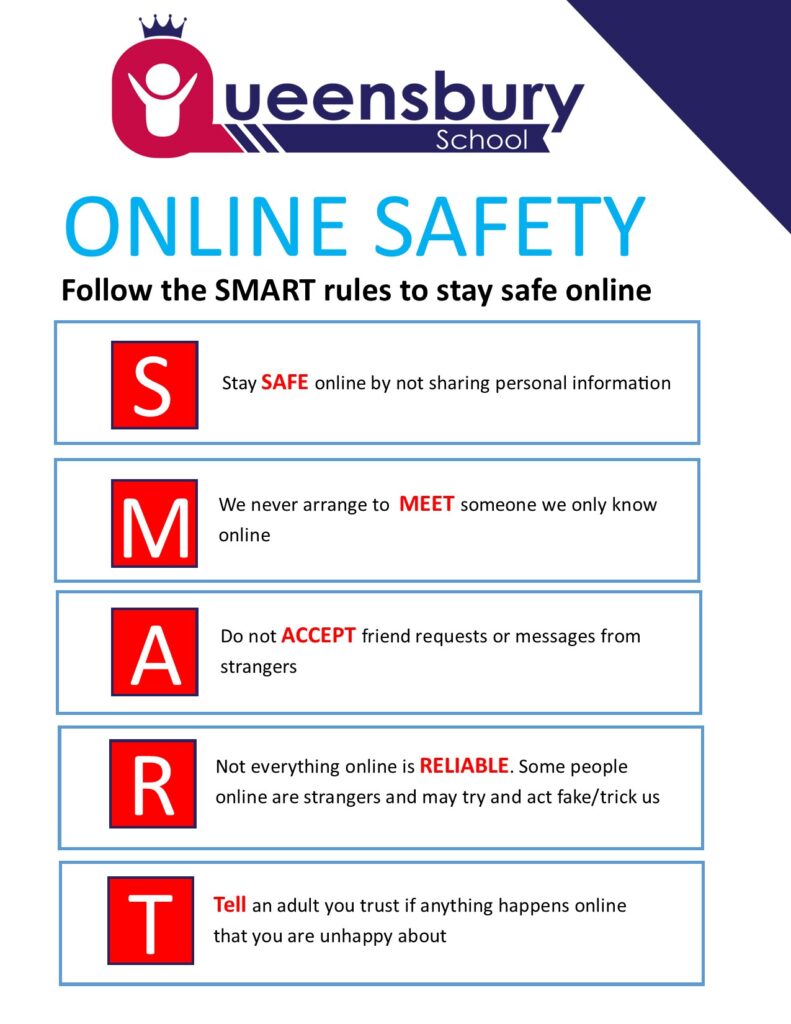
Online Safety

At Queensbury School, we want every pupil to enjoy the benefits of technology while learning how to use it safely, responsibly and confidently.

Online safety is taught through our Personal Development and ICT curricula. It is also reinforced through assemblies, themed events such as Safer Internet Day, and day-to-day teaching and pastoral conversations.

We take a supportive, accessible and practical approach. We recognise that some pupils may need additional guidance, repetition, visual support and opportunities to practise online safety skills.

How We Teach Online Safety

We help pupils to:

  • Understand how to stay safe when using the internet, social media, online games and apps.
  • Know how to recognise unsafe, unkind or worrying online behaviour, including bullying, scams and inappropriate contact.
  • Be able to protect their personal information and use privacy settings.
  • Be able to think carefully about whether online information is accurate and trustworthy.
  • Know that images, videos and messages may have been edited, generated or shared without permission.
  • Be able to report concerns to a trusted adult and use online reporting tools.
  • Know that they will be listened to and supported if something goes wrong online.

We regularly remind pupils that they should speak to a trusted adult if anything online makes them feel worried, confused, uncomfortable or unsafe.

Artificial Intelligence and Online Safety

Artificial intelligence, usually called AI, is technology that can produce answers, images, sounds, videos and other content. AI features can be found in chatbots, search engines, games, apps and other online services.

Although some AI tools communicate in a way that sounds friendly or human, pupils should understand that:

  • AI is not a person or a living being.
  • AI does not have emotions, feelings or consciousness.
  • AI does not genuinely understand, care about or form relationships with people.
  • AI-generated information can be inaccurate, misleading or inappropriate.
  • AI should not replace a trusted adult or an appropriate support service.

At Queensbury School, pupils may encounter AI tools as part of supervised learning activities. We teach pupils to:

  • Never share personal or private information with an AI tool.
  • Think carefully about whether AI-generated information is accurate.
  • Check important information with a trusted adult or reliable source.
  • Avoid relying on AI for help with feelings, worries or personal problems.
  • Tell a trusted adult if an AI tool produces something confusing, upsetting or worrying.
  • Follow school rules and staff instructions when using AI.

We encourage parents and carers to talk to their child about AI and to explore age-appropriate tools together. Children may already encounter AI through familiar apps, chatbots, search engines and creative tools, sometimes without realising that AI is being used.

Further guidance:

NSPCC: Talking to Children About AI

How Parents and Carers Can Help

Parents and carers play an important role in helping young people stay safe online. Small, regular conversations can make a significant difference.

You can help by:

  • Talking regularly with your child about what they enjoy doing online.
  • Asking your child to show you the games, apps and websites they use.
  • Reassuring your child that they can talk to you if something goes wrong.
  • Encouraging your child to tell a trusted adult if something online worries or confuses them.
  • Agreeing clear and consistent routines for screen time and device use.
  • Exploring privacy settings, parental controls and reporting tools together.
  • Reminding your child not to share personal information, passwords or their location.
  • Helping your child understand that people online may not always be who they claim to be.
  • Encouraging your child to check online information before believing or sharing it.
  • Reinforcing that it is never their fault if somebody behaves in an unsafe, manipulative or unkind way towards them online.

Children with additional needs may benefit from clear rules, repeated conversations, visual reminders and practising how to block or report someone. Current family guidance also recommends exploring apps together and helping children understand online language, warnings and reporting systems.

What to Do if Something Goes Wrong

If your child tells you that something has happened online:

  1. Stay calm and listen.
  2. Reassure your child that they have done the right thing by telling you.
  3. Do not blame them or immediately remove their device. This could make them less likely to share future concerns.
  4. Record important information, such as usernames, dates and what happened.
  5. Use the reporting and blocking tools available in the app, game or website.
  6. Contact the school if the concern involves a pupil, affects your child’s wellbeing or may continue in school.
  7. Seek further support or make a formal report when necessary.

Government online safety guidance recommends staying calm, asking questions, avoiding blame and reassuring children that the problem can be addressed together.

Please do not ask your child to repeatedly view upsetting material in order to collect evidence. A record of where the material appeared, together with usernames and dates, may be more appropriate.

Contacting the School

If you are worried about your child’s online safety, please contact the school and ask to speak to a Designated Safeguarding Lead (DSL).

School telephone: 01213735731
School email: enquiry@queensbury.eiat.org.uk

If a child is in immediate danger, call 999.

Trusted Online Safety Support and Advice

For Parents and Carers

NSPCC Online Safety

Advice to help families understand online risks, talk to children about their experiences and use technology safely.

Internet Matters

Practical information about devices, games, apps, privacy settings, parental controls and supporting children with additional needs.

UK Safer Internet Centre

Online safety advice and information about where families can get help or report a concern.

For Children and Young People

Childline

Childline provides free and confidential support for children and young people. Pupils can call 0800 1111 or access online support.

Reporting an Online Concern

Report to CEOP

CEOP helps children, parents, carers and professionals report concerns about online abuse or unsafe communication with a child.

Report Harmful Online Content

If harmful content appears on a game, app or social media service, use the service’s built-in reporting tools. Guidance is also available to help families identify the correct reporting route for different online concerns.